Chirag Kulkarni
Co-Founder, Hobbes
Chirag Kulkarni is the co-founder and CEO of Hobbes, an AI company building autonomous, conversational product demos for B2B software companies. Before Hobbes, he worked at McKinsey, built AI tools for the Pentagon, and held strategy and operations roles at high-growth startups.
Key takeaways
Demo automation runs a product demo without a rep on every call. It spans four levels, from recorded demos to agent-led conversational demos that answer questions inside an interactive sandbox of your product.
Your demo request form turns away the buyers it was built to qualify. Hobbes' own research found 97% of fast-growing B2B SaaS companies put a form in front of the demo, and only 2% let a buyer have a conversation.
Seven demo tasks need no human judgment. Scheduling, qualification capture, first-touch demos, environment provisioning, follow-up, CRM logging, and no-show nurture.
Ninety-seven percent of fast-growing B2B SaaS companies put a form between the buyer and the product. We know because we clicked the demo button on every one of them.
Demo automation is the fix. It's software that delivers the product demo without a rep on every call, and it runs from recorded walkthroughs at the simple end to agent-led conversational demos that qualify the buyer and book the meeting at the other. The buyer sees the product the moment they want to, and your reps get their calendar back for the deals that need them.

The rest of this guide runs in the order you'd actually do it. Match a level to your product, hand over the tasks that need no judgment, choose the tool that delivers it, then measure what changed.
What Demo Automation Means
Demo automation is the use of software to deliver a SaaS product demo without a sales rep present for every session. The buyer triggers it themselves. Demo automation software handles the walkthrough, and depending on the level, also the questions, the qualification, and the handoff.
Vendors sell three very different products under that phrase, and buying the wrong one is how teams decide the whole category doesn't work. Automated demos deliver the product experience. Lead qualification software scores the person. The top level does both at once, which is why the categories keep blurring.
The 4 Levels of Demo Automation
Demo automation runs on a spectrum. Each level adds interactivity, personalization, and buyer data, and each one costs more to build and maintain than the one below it. Interactive demo automation starts at level two, where the buyer clicks instead of watching.
Level | What the Buyer Experiences | Best For | Main Limitation |
1. Recorded walkthrough | Watches a narrated video or screen recording of the product | Simple products, top-of-funnel education, buying committees who need a shareable asset | Passive. No branching, no answers, no signal beyond watch time |
2. Click-through tour | Clicks through captured screens with tooltips guiding each step | Marketing sites, feature pages, self-serve products with a short time to value | The path is pre-built. Buyers who want something off the path leave |
3. Sandbox environment | Explores a working copy of the product loaded with demo data | Complex or data-heavy products, enterprise presales, proof-of-concept work | Setup and maintenance are heavy, and most sandboxes still need a rep to drive |
4. Agent-led conversational demo | Asks questions by text or voice and gets answers while the product moves on screen | Complex B2B products with multiple personas, off-hours traffic, and a demo form that under-converts | Needs product access, real documentation, and inbound volume to earn its keep |
Level #1: Recorded Walkthroughs
The oldest form of demo automation and still the most common. Recorded demos travel well, since a champion can forward one to the CFO without booking anything. Video also broadcasts to everyone at once, so every viewer gets the same eight minutes in the same order.
Level #2: Click-Through Product Tours
Tours capture your interface as screens and guide the buyer through with tooltips. They spin up in hours, and interest-based tours turn the format into a qualification signal by letting buyers pick from three to 10 things they might care about. Learn more in our guide to product tour software.
Level #3: Sandbox Environments
A sandbox is a working copy of your product with safe demo data. Nothing is faked, so the buttons work and the reports render, which for data-heavy products is the only level that demonstrates anything real. You pay for that in engineering time, once to build it and again every release.

Sentry runs a public one at sandbox.sentry.io, where the issue feed loads with real error counts and no login. You pay for that fidelity in engineering time, once to build it and again every release.
Level #4: Agent-Led Conversational Demos
The top level puts an agent in front of the sandbox. The buyer asks whatever they want, by text or voice, and gets an answer while the relevant part of the product comes up on screen. The agent researches the visitor's company mid-conversation, enriches the contact, scores it against your ICP, then books the meeting or routes it. Levels one through three deliver a demo. Level four runs the first sales call and hands your team a qualified buyer with the transcript attached.
Hobbes is the AI product agent built for this level. Direct competitors 1mind and Handhold sit here too, with different bets on what the buyer should see.
Rules-Based Levels vs. AI Levels
Levels one through three run on rules. Level four runs on inference, and the difference shows up long after you buy.
Rules-Based Levels | AI Levels | |
Setup effort | Front-loaded, every branch designed by hand | Front-loaded on inputs, then self-maintaining |
Maintenance | Manual updates each release | Re-reads source material as it changes |
Data captured | Clicks, steps, and completion | Full transcripts, questions, objections, and stalls |
Failure mode | Buyer hits a wall and leaves | Agent answers when it should defer, unless it flags gaps |
Decide on the failure modes. A rules-based tour fails out of sight, and you see it later as a drop-off number. An AI agent fails loudly, and the guardrail is an agent that flags what it can't answer rather than guessing, plus a human review cycle on transcripts.
Why B2B Teams Are Automating Demos
Your buyers have already decided they don't want the call. Gartner's March 2026 survey of 646 B2B buyers found 67% prefer a rep-free experience, up from 61% a year earlier, and 6sense's 2025 Buyer Experience Report puts first contact with a vendor at 61% of the way through the journey, down from 69%. The evaluation that decides the deal happens before your rep is invited, and your demo page is the one place you still insist on the opposite.
Your reps spend that same week on demos that don't need them. Salesforce's 2026 State of Sales report, drawn from more than 4,000 sales professionals, finds reps give 60% of their time to non-selling tasks. The selling hours left over are the ones going into a first demo that barely changes from one buyer to the next. Every automated product demo also returns data a live call doesn't, logging the objection and which feature the buyer replayed across every visitor rather than the ones a rep happened to meet.
Underneath both sits the form. Demo request forms convert at about 1.8% across B2B and 1.1% in SaaS, which means roughly 98 out of every 100 people who wanted to see your product leave without seeing it.
Want the benchmark for your own page? Read The State of the B2B SaaS Demo Page, then Start Demo and watch the alternative from the buyer's seat.
Seven Demo Tasks to Automate First
Demo automation isn't one switch. Teams hand the work over in pieces, and these seven pay back fastest.
1. Demo Scheduling and Routing
Form submissions sit in a queue until someone claims them, and the buyer waits. Automated routing reads the submission, matches it to territory or product line, and offers the calendar of the rep who owns it while the buyer is still on the page.
2. Qualification Data Capture
Every field you ask for costs conversion, and the median demo form asks for five. Product demo automation gets the same answers without the interrogation, collecting firmographics, use case, and intent while the buyer asks their own questions. Enrichment fills the rest from a work email, scoring runs against your own ICP criteria, and the result lands in your CRM.
3. First-Touch Product Demos
The generic overview demo is the most repeated hour in B2B sales and the easiest to hand over. Automating it lets buyers self-educate on their schedule and lets reps open the first live call at the second question instead of the first slide. Hobbes runs this first conversation on an interactive sandbox of your product, scores the buyer against your ICP, and routes to the right rep with the transcript.
4. Demo Environment Provisioning
Building and refreshing demo environments is engineering work that never ends when the product ships weekly. Demo automation platforms capture or clone the environment and keep the captures current, which removes the standing ticket on your backlog.
5. Follow-Up Emails and Recap Content
Recaps get written from memory and sent late. Automated follow-up sends a personalized summary, the demo link, and answers to what the buyer actually asked within minutes of the session ending.
6. CRM Logging and Activity Tracking
Reps log a fraction of what happens in a demo. Automated logging writes the transcript, the questions, the feature interest, and the qualification score to the contact record, so pipeline reporting stops depending on note-taking discipline.
7. Nurture for No-Shows and Stall-Outs
A no-show is a scheduling failure rather than a dead lead. Automated nurture sends that buyer a demo they can take right now instead of another calendar invite, and the same applies to deals that stall after the first call.
The 7 Best Demo Automation Tools in 2026
Demo automation tools get compared as though they all do the same job, so this list is segmented by the level each one delivers. Jump straight to the level matching your product complexity and inbound volume.
Platform | Demo Level | Best For | Standout Feature | Starting Price |
Hobbes | 4. Agent-led | Complex products that need a conversation | Interactive sandbox of your product, ready within an hour, with a conversational agent in front of it | Contact sales |
1mind | 4. Agent-led | One agent across the whole funnel | Ride-Along Superhuman that joins live sales calls | Contact sales |
Handhold | 4. Agent-led | HubSpot teams running a pilot | Full conversation logged to the HubSpot contact timeline | €299/month plus €3 per session |
Reprise | 3. Sandbox | Demos that depend on real data | Cloned environments with live overlay | Request pricing |
Navattic | 2. Tour | Turning website traffic into leads | Chrome extension demo building for reps | Free tier, paid tiers quoted |
Storylane | 2. Tour | Shipping your first demo fast | HTML editor and Buyer Hub | $40/month annual |
Consensus | 1. Video | Selling to large buying committees | Stakeholder tracking across the buying group | Quoted, from about $600/month |
Across G2's Demo Automation Software category the average product rating is 4.63 out of 5, with a 9.26 out of 10 likelihood to recommend. Ratings that high across 59 listings mean review scores won't separate these demo automation tools for you. Format and fit will.
Hobbes: Best for Complex Products That Need a Conversation
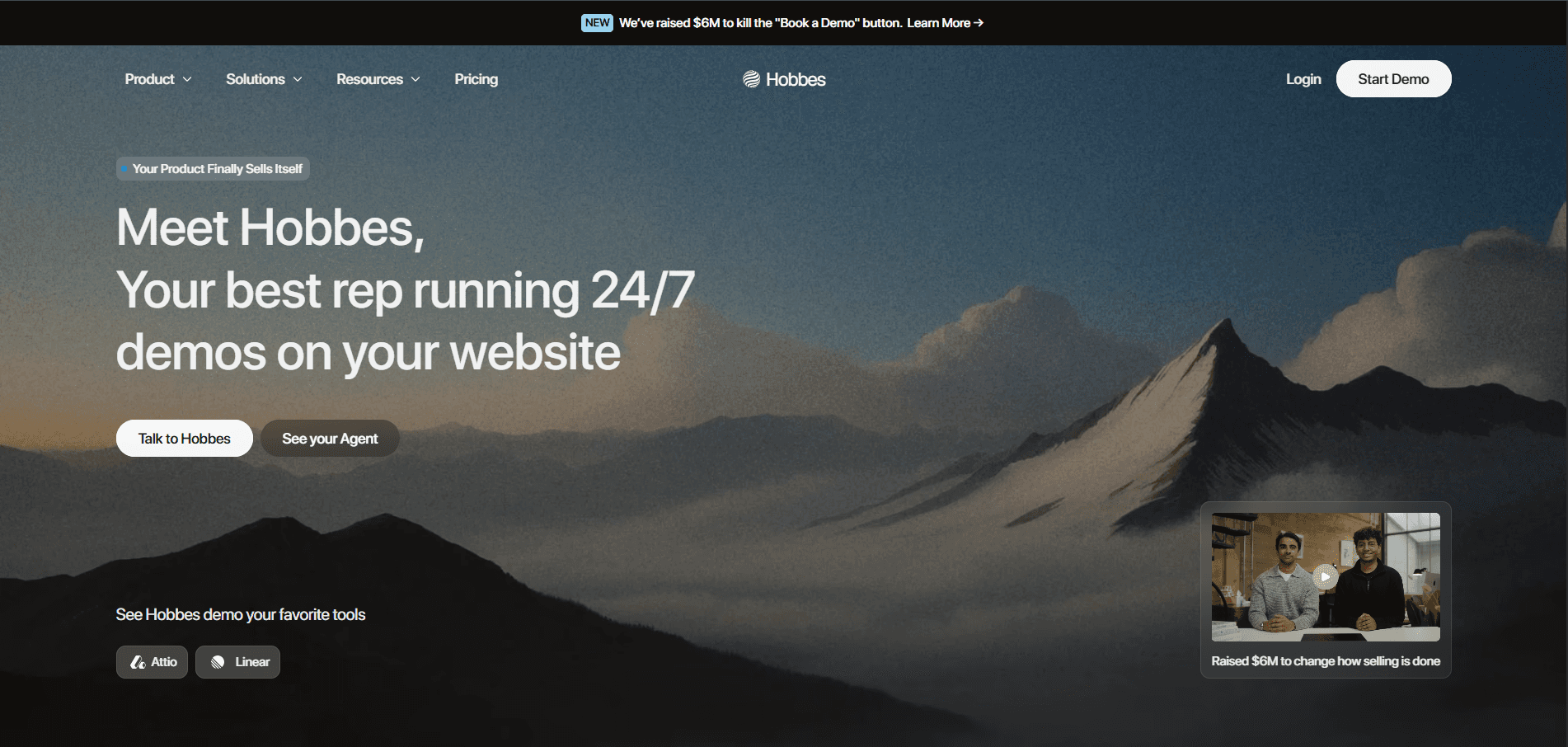
Your reps stop sitting through discovery calls with people who were never going to buy.
Hobbes is an AI product agent, deployed as an AI employee for sales. It meets every website visitor with an interactive sandbox of your product, answers whatever they ask by text or voice, enriches the buyer while the demo runs, scores them against your own ICP criteria, then books the meeting or routes it to the right rep. Hobbes works 24/7 in 30+ languages, interface included. Buyers arrive already educated.
Hobbes Key Features
#1: An Interactive Sandbox That Stands Up Within an Hour
Point Hobbes at your product and the first sandbox can be standing inside an hour. No engineering ticket. The captures update themselves as your UI changes next sprint. The buyer clicks through it while the agent surfaces the right screen, so for a product with four personas and six use cases that's the difference between one demo and twenty-four. See how the paths adapt in adaptive experiences.
#2: Conversational Intelligence That Shows What Buyers Actually Ask
Positioning stops being a guess. Hobbes captures 13x more sales conversations than a form-and-calendar motion, then gives you full transcripts, product heatmaps, and objection tracking. Product marketing gets the words buyers use for the problem, sales gets the objection that keeps landing at minute four, and product gets the feature request nobody logged because it came up at 2 a.m. in a demo no rep attended. Every signal reaches your stack through HubSpot, Salesforce, Attio, Pipedrive, Slack, webhooks, API, and MCP servers. The full picture lives in conversational intelligence.
#3: A Self-Improving Brain That Sharpens With Every Conversation
Most AI sales tools ship on day one and decay from there. The flagging behavior is the one to watch in a pilot, because an agent that raises its hand when it doesn't know is the difference between a demo you can put in front of an enterprise buyer and one you can't. Read how the loop runs in self-improving loops.
Hobbes Pricing
Hobbes runs four tiers and publishes no figures on any of them. Scope, volume, and deployment terms set the price, so the tier that fits you comes out of a conversation.
Tier | What You Get | Price |
Starter | Conversational agent and sandbox, core analytics, native CRM integration, webhooks | Contact sales |
Growth | Qualification scoring and objection tracking, people enrichment, API and MCP support, named implementation manager | Contact sales |
Scale | Whitelabeling, agent-driven product refresh, named customer success manager, priority support | Contact sales |
Custom | SSO and SAML, security review, custom DPA, data residency, SLA and uptime guarantee | Contact sales |
Get a scoped quote and a working agent trained on your product at See your Agent. Current plan detail sits on the Hobbes pricing page.
Where Hobbes Shines
The sandbox is the wedge: buyers explore an interactive sandbox of your product rather than a recording of it, and it's the hardest thing in this category to copy.
A path that changes with the buyer: the buyer or Hobbes can steer through the product, so no two demos run the same way.
Self-improving, and specifically so: Hobbes simulates buyer scenarios before launch, flags what it can't answer instead of guessing, relearns your docs as they change, remembers returning buyers, and sharpens with every conversation.
Qualification instead of engagement: enrichment, scoring against the ICP criteria you set, and routing that hands the rep the whole conversation.
Coverage your team can't staff: 24/7 in 30+ languages, translating your product interface and the conversation into the terminology each region actually uses.
Managed implementation: live in days, with simulations, evaluations, and ongoing optimization run for you instead of added to your backlog.
Where Hobbes Falls Short
It needs real inputs and real traffic: sandbox access, current product docs, and enough inbound volume to justify an always-on agent. Teams with 20 visitors a month should fix demand first.
It's built for sales-assisted B2B motions: pure self-serve products, sub-$5K ACV, and teams who want a cheap click-through tour are better served at level two.
Hobbes Customer Reviews
Sutton, formerly Digit, runs ERP for manufacturers and distributors, a product that takes real explaining. CRO Simon Kronenberg's summary after rollout was that "Hobbes has seriously increased the number of qualified leads from our website." Their human bookings rose 53%.

HyperSpell, a YC company, named their agent Harper and pointed it at inbound, and founder Conor Brennan-Burke went from guarding product access to saying "I don't think I'll ever go back to doing things the old way." Revenue doubled in six weeks.
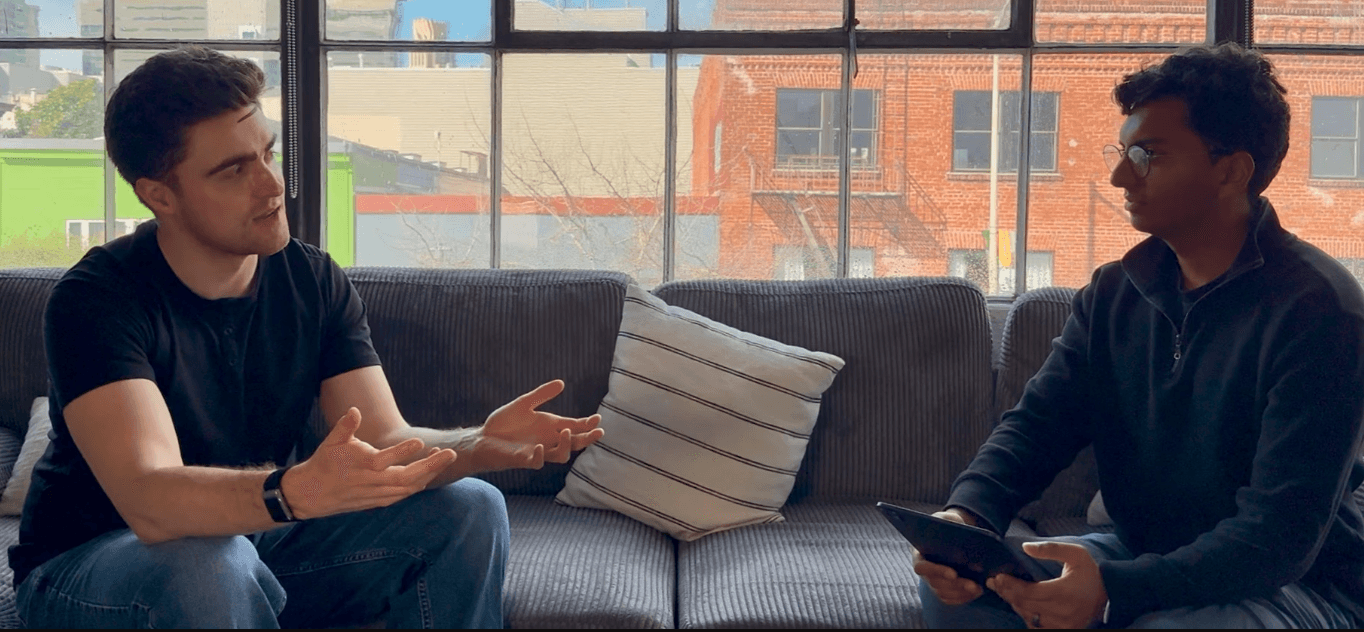
Both accounts emphasize what reached the rep rather than how many leads arrived.
Who Hobbes Is Best For
Heads of sales and CROs with a demo form that under-converts: the traffic is already arriving, and 98% of it leaves without seeing anything.
Founders of complex or vertical SaaS where trials confuse buyers: products that need explaining lose people inside a free trial and faster inside a tour.
Marketing and RevOps teams with off-hours or global traffic: a buyer in Singapore at 2 a.m. gets the full demo in their own language, and the meeting is on a rep's calendar by morning.
Ready to see what your buyers would experience? Talk to Hobbes and run the agent on our own product before you scope yours.
1mind: Best for One Agent Across the Whole Funnel

1mind calls its agents Superhumans and runs four types on one shared brain, so context follows a buyer from the website through the sales call into onboarding and renewal.
The Ride-Along Superhuman is the real differentiator, joining live calls to answer deep technical questions and give demo segments on the fly. Nothing else here does that, and it puts technical coverage on every AE and partner call without scheduling a solutions engineer. 1mind publishes customer-approved numbers including a 77.6% win rate against 53.6% on Drift, 16x ROI in three months, and 145% higher average deal size.
Handhold: Best for HubSpot Teams Running a Pilot
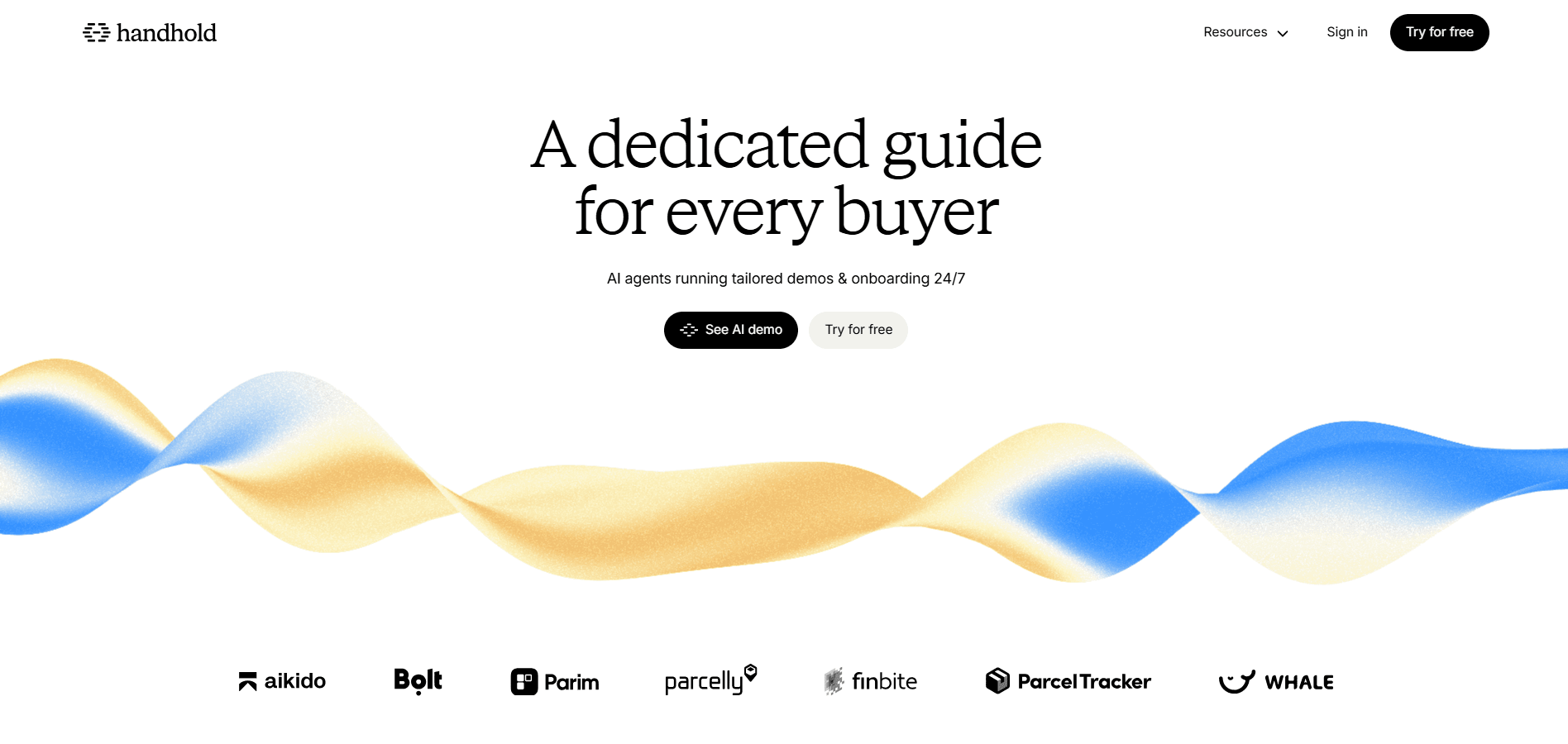
Handhold, rebranded from Align in 2025, is the closest format match to Hobbes here. Its agent runs a tailored demo in conversation, gathers qualification details in passing, then lands every interested visitor in HubSpot with the full transcript logged as a meeting on the contact timeline. It's also the only conversational agent in this category publishing an entry price, at €299/month plus €3 per demo agent session, with a 14-day trial covering 30 sessions.
Reprise: Best for Demos That Depend on Real Data

Reprise is the reference point for enterprise presales teams whose demos fall apart without real data behind them. It clones the product environment rather than capturing screens, so filters, calculations, and reports behave as they do in production, which for analytics and fintech products is the whole demo. Reps can also demo the live product with overlaid changes to data and branding, and SOC 2 Type II, ISO 27001, SSO, and RBAC come in every package rather than gated to a top tier. Pricing is request-only, an annual platform fee plus per-user licenses.
Navattic: Best for Turning Website Traffic Into Leads

Navattic is the marketing-led choice for interactive demo automation that sends lead signal back. Reps mix and match modular demos by persona and send them from a Chrome extension, with no build request to file. Interest-based demos double as qualification data, and step-level analytics show where attention dropped. Starter is free with one demo, Base and Growth show "billed annually" with no figure, and Enterprise is custom.
Storylane: Best for Shipping Your First Demo Fast

Storylane is the fastest on-ramp in this list. Free for a single demo, $40/month annually on Starter for unlimited guided demos, and an HTML editor plus personalization tokens once you reach Growth at $500/month annually. Its Buyer Hub also gives buying committees one place to revisit what they saw.
Storylane has added AI agent capability, so the gap narrows at the conversational layer while the underlying format stays a captured tour. Our Storylane and Navattic comparison breaks down where each wins.
Consensus: Best for Selling to Large Buying Committees

Consensus is video-first demo automation built for the reality that a whole committee has to agree before you get paid. Buyers answer a few questions, receive a demo assembled from relevant video segments, then forward it, and Consensus tracks who watched what across the buying group. That stakeholder map is the product. Nothing else here tells you the CFO watched the security section twice. Pricing is form-gated, per-user licenses plus optional usage-based capabilities, with the page meta putting entry around $600/month.
How to Automate Your Demos in Six Steps
Rollouts fail at the input stage, not the technology stage. Run these in order.
Step 1: Audit the Current Demo Motion
Count what's happening before you automate any of it. Pull 90 days of demo requests and answer three questions. How many converted to a held meeting, how long the median buyer waited, and how many of those meetings a rep would call qualified.
Pull submissions, meetings held, and opportunities created from the CRM.
Time-stamp the gap between submission and first demo, then look at the tail rather than the average.
Sit in on three recorded demos and count the minutes identical across all three.
That last number is the part that doesn't need a human in the room.
Step 2: Pick Which Demo Tasks to Automate First
Rank the seven tasks above by how much time they cost against how much judgment they need. Scheduling, CRM logging, and follow-up are pure overhead and go first. First-touch demos go next, and they're where the conversion gain lives.
Automate what costs rep hours and requires no judgment.
Leave anything that shapes the deal narrative for later.
Pick one motion rather than all three.
Step 3: Match the Demo Level to Product Complexity and Inbound Volume
Simple products with high volume and a short time to value do well at level two. Data-dependent products with a presales team belong at level three. Complex products with multiple personas, real inbound volume, and a form that under-converts belong at level four.
Products a buyer understands in 30 seconds don't need a conversation.
Products with four personas and six use cases outgrow a single pre-built path immediately.
Traffic under a few hundred demo-intent visitors a month won't produce signal at any level.
Step 4: Prepare the Inputs
Teams underestimate this step. Whatever you deploy learns from what you give it, and stale docs produce a demo that is wrong on your behalf.
Product docs and help center, current as of this month.
Recorded sales calls, especially the ones with hard objections.
Sales decks and positioning, so the agent uses your words for the problem.
A sandbox login or product access, scoped to demo data.
Hobbes trains on exactly these four inputs and re-reads your docs as they change rather than snapshotting them at launch, which is what keeps the demo accurate after your next release.
Step 5: Set Qualification and Routing Rules
Decide what qualified means before a buyer arrives, and write it as criteria a machine can score. Define the ICP threshold that triggers a meeting offer, map routing by territory or product line with a named fallback owner, decide what happens below the threshold, and agree what gets written to the CRM including the transcript.
Step 6: Launch to a Slice of Traffic and Iterate
Start narrow. One page, one segment, or internal users only. Run simulations against your real buyer scenarios before any traffic sees it, review the first 50 transcripts by hand flagging anything inaccurate or off-message, then widen once the flagged rate drops and keep a weekly review on the calendar.
Step | Owner | Done When |
Audit the demo motion | RevOps | 90-day conversion, wait time, and qualified-rate numbers are on one page |
Pick tasks to automate | Sales lead | Two or three tasks are named and sequenced |
Match level to product | Marketing lead | A level is chosen and justified against complexity and volume |
Prepare inputs | Marketing lead with product | Docs, calls, decks, and product access are handed over |
Set qualification and routing | RevOps | Scoring criteria, thresholds, and routing rules are in writing |
Launch and iterate | Sales lead | Simulations passed, traffic slice live, weekly review scheduled |
See the full inbound rollout in our guide to automating demos without losing the human touch, then Train Your Agent on your own docs and sandbox.
Five Decisions to Keep Human
Gartner's May 2026 research found 69% of B2B buyers still turn to sales reps to validate AI-generated insights. Buyers want the rep-free evaluation and the human validation. Automate the first, protect the second.
1. Deep Discovery on Enterprise Deals
First-pass discovery is repeatable and belongs in the automate list. Role, use case, fit against your ICP, and the handful of questions every buyer asks run the same way every time.
A buyer mentions that reporting is "a bit of a pain," and a good rep hears a workflow problem spanning three teams and a budget line nobody has approved. Making that connection on a six-figure deal stays with a person. A form cannot read hesitation, and neither can a transcript, but the rep who gets one walks in knowing which features the buyer replayed and where they went quiet.
2. Objection Handling in Competitive Deals
Product objections automate well. Competitive objections involve positioning judgment, pricing flexibility, and reading what the buyer isn't saying. Route those to a human the moment a competitor name comes up.
3. Pricing and Negotiation
Quote-based pricing, discount authority, and contract terms stay with people. An agent should surface pricing structure and hand off, never negotiate.
4. Multi-Stakeholder Alignment
Getting security, finance, and the economic buyer to agree is political work. Automation supports it by giving each stakeholder their own demo path. It doesn't replace the champion coaching that gets a deal through committee.
5. The Decision to Disqualify
Scoring flags a poor fit. Telling a prospect they're a poor fit, in a way that keeps the door open for next year, is a human call with revenue consequences either way.
Automate vs. Keep Human: Decision Matrix
Decision Point | Automate | Keep Human | Why |
First product overview | Yes | No | Identical across buyers and repeated daily |
Feature and integration questions | Yes | No | Factual and answerable from docs |
Qualification scoring | Yes | No | Rules-based against written criteria |
First-pass discovery | Yes | No | Role, use case, and ICP fit follow written criteria |
Scheduling and routing | Yes | No | Pure logistics |
Deep discovery on enterprise deals | No | Yes | Connecting a vague complaint to a workflow problem is judgment |
Competitive objections | No | Yes | Requires positioning judgment |
Pricing and terms | No | Yes | Commercial authority |
Committee alignment | Partly | Yes | Agent serves each stakeholder, rep runs the politics |
Disqualification | No | Yes | Relationship consequences beyond this deal |
Where Automated Demos Fit Your Funnel
Inbound earns the most, because that traffic already arrives with intent, and our inbound solution overview walks the full motion. Outbound reverses the sequence and makes the demo the offer rather than the destination.
Inbound
No form and no calendar link. The buyer drives while the agent researches their company and surfaces the use cases built for their role.
Buyers above your ICP threshold get a calendar or checkout on the spot. The rest get a nurture path and a demo link to come back to.
Transcript, score, and feature interest reach the CRM before a rep opens the record.
Outbound
A personalized demo link replaces the meeting request, with campaign context already loaded.
Qualified prospects book from inside the demo. The rest feed a nurture segment with feature-level intent attached.
Reps follow up on demonstrated interest rather than open rates.
Hobbes Links is what carries that outbound motion, so campaign reach isn't capped by site traffic.
Risk Controls Before You Let an Agent Talk to Buyers
An automated demo speaks to buyers with nobody watching, so the guardrails go in before the traffic does. Timing matters as much as the rule.
When | Control | The Rule |
Before launch | Simulation and scope | Run the agent against real buyer scenarios rather than a happy path, scope the sandbox to demo data with no route to production records, and write what it may say about roadmap, pricing, and security into its instructions |
Before signing | Data terms | Get no-training-on-your-data into the contract, and verify certifications before procurement asks for them |
First two weeks | Transcript review | Read the first 50 live sessions by hand, flagging anything inaccurate or overclaiming |
Configured once | Escalation triggers | Route to a human the moment a competitor name, a pricing question, or a security questionnaire comes up, with a named owner and a response window |
Ongoing | Weekly review | A transcript review on a named person's calendar, the agent flagging what it can't answer instead of guessing, and every escalation logged as a training input |
Always visible | Human escape hatch | A way for the buyer to reach a person at any point in the demo |
Ask any vendor to show its paperwork here. Hobbes holds SOC 2 Type 2, end-to-end encryption, and SSO via SAML or OIDC with SCIM, with data residency and a custom DPA on tailored contracts, all documented in the Hobbes Trust Center.
What to Measure, and the 2026 Benchmarks That Exist
Six numbers tell you whether automation worked. Every cell below names its source, and where no industry figure exists it says so, because your own baseline is the honest comparison.
Metric | What It Tells You | Benchmark or Target |
Demo start rate | Share of demo-intent visitors who begin a demo | Form baseline is 1.8% across B2B and 1.1% in SaaS. SalonScale converted more than 10% of site traffic with an agent-led demo |
Demo completion rate | Whether buyers stay long enough to reach value | HyperSpell averages 7+ minutes of active conversation per session |
Demo-to-qualified-lead rate | Share of demos producing an ICP-fit lead | HyperSpell reports 82% qualified conversion against its ICP criteria |
Time from request to first demo | The wait you're asking buyers to accept | Target zero. Measure the median in hours, then look at the tail |
Outcome on demo-touched deals | Whether early product access changes win rate and cycle length | Navattic's 2026 report puts win rates at 72% when a demo lands in a deal's first 14 days against 59% without, and those deals closing roughly 19 days faster |
Human meetings booked | Whether automation grew or cannibalized rep pipeline | 53% increase in human bookings at Sutton, and a 30% increase in qualified leads across Hobbes customers |
Conversation volume itself climbs once the gate comes off, and Hobbes customers capture 13x more sales conversations than a form-and-calendar motion, which changes how much positioning evidence your team has to work with.
Pro Tip: Segment every metric above by automated first touch versus live first touch, and give the comparison a full sales cycle before you trust it. Without that split, automation gains and seasonal demand look identical in the dashboard. Our breakdown of demo automation ROI covers how to model the rest.
Give Every Visitor a Demo With Hobbes, Your AI Employee for Sales
Your demo page already has the traffic. Ninety-eight percent of it leaves without seeing the product, and the gate is the reason. Hobbes runs the demo for every visitor, answers what they ask inside an interactive sandbox of your product, qualifies them against your criteria, and books the meeting. Reps only meet real buyers.
See what your buyers would experience. Start Demo.
FAQs
Is Demo Automation the Same as an Interactive Product Tour?
No. An interactive product tour is one level of demo automation, where buyers click through captured screens on a pre-built path. Demo automation also covers recorded walkthroughs, sandbox environments, and agent-led conversational demos that answer questions in real time.
How Long Does It Take to Launch an Automated Product Demo?
Days for an agent-led demo automation platform with managed implementation. Hobbes can have a first interactive sandbox of your product standing within an hour and goes live in days through a four-step onboarding of train, simulate, launch, and improve.
What Stops Competitors From Going Through Our Automated Demo?
Guardrails you set. Claim boundaries written into the agent's instructions control what it discusses, scoring flags non-ICP visitors, and every session is logged with company enrichment, so competitor traffic is visible rather than invisible the way it is behind a form.
Chirag Kulkarni
Co-Founder, Hobbes
Chirag Kulkarni is the co-founder and CEO of Hobbes, an AI company building autonomous, conversational product demos for B2B software companies. Before Hobbes, he worked at McKinsey, built AI tools for the Pentagon, and held strategy and operations roles at high-growth startups.



Get a Demo

8 Best Conversational AI for Inbound Leads (2026)
The best conversational AI for inbound leads: 1. Hobbes 2. 1mind 3. Qualified 4. Fin 5. Handhold. See features, pricing & more.
7 Best 1mind Alternatives Reviewed for B2B SaaS in 2026
Compare 1mind alternatives for B2B SaaS, including interactive demos, AI product experiences, pricing, key features, and best-fit use cases
8 Best Supademo Alternatives for B2B SaaS Teams in 2026
The top Supademo alternatives are Hobbes, Storylane, Navattic, Arcade, Walnut and Consensus, differing on format, AI depth, analytics and per creator pricing.
8 Best Demostack Alternatives for B2B SaaS Teams in 2026
The top Demostack alternatives are Hobbes, Reprise, Walnut, Storylane, Navattic and Consensus, differing on format, setup time, personalization and pricing.
13 min read
SaaS Product Demo 2026: Software, Examples & Best Practices
A SaaS product demo shows a buyer your product solving their problem. Compare five formats, build one in five steps, and use the 30-minute call script.
17 min read
8 Best Product Demo Software Platforms for SaaS Teams in 2026
The best product demo software includes Hobbes, Storylane, Navattic, and Reprise, spanning conversational, tour, sandbox, and live overlay formats.
17 min read
Interactive Demo Benefits, Types, Tools & 3 Examples
An interactive demo lets buyers explore a product instead of simply watching a presentation. Learn how it works, its types, benefits, tools, and examples.
12 min read
What is an AI Demo Agent: How It Works and What to Look For
An AI demo agent runs a live, conversational product demo on your site and qualifies the buyer. See the three types, how they work, and what to look for.
17 min read
9 Best Product Tour Software Tools for SaaS Teams (2026)
Product tour software helps SaaS teams create interactive product experiences for onboarding or sales. Compare top tools and see where Hobbes fits
18 min read
Best Storylane Alternatives in 2026: 7 Tools Compared
The top Storylane alternatives include Hobbes, Navattic, Walnut, and Supademo, each fitting different demo formats, team budgets, and sales motions.
Experience a Demo
Ready to see Hobbes in Action?
Designed for teams who need control, consistency, and measurable impact across every demo touchpoint.