Chirag Kulkarni
Co-Founder, Hobbes
Chirag Kulkarni is the co-founder and CEO of Hobbes, an AI company building autonomous, conversational product demos for B2B software companies. Before Hobbes, he worked at McKinsey, built AI tools for the Pentagon, and held strategy and operations roles at high-growth startups.
Key takeaways
Hobbes is best suited for complex products where buyers arrive with real questions. It runs a conversation on an interactive sandbox of your product, qualifies against your ICP, and books the meeting, 24/7 in 30+ languages.
1mind and Handhold are the other two conversational agents here. 1mind leads with a persona on screen and spans live calls and customer success. Handhold runs website demos and publishes the cheapest entry price in the agent category.
Navattic and Storylane are the picks for marketing-led guided tours. Fastest to build, cheapest to start, least depth.
Arcade, Reprise, and Consensus each solve a narrower job. Fast multi-format assets, enterprise cloned environments, and async video for buying committees.
"Product demo software" covers four different formats. Match the format to your product's complexity before you compare price tags.
When we ran the numbers, demo request forms converted at 1.8% across B2B and 1.1% in SaaS. Out of every thousand visitors who reach your demo page, 11 to 18 fill it in. The rest leave, and two out of three B2B buyers would rather not talk to a rep at all anyway, according to a Gartner survey of 646 buyers.
The best product demo software removes that form. Which platform you buy comes down to format. Hobbes, 1mind, and Handhold run conversations. Navattic, Storylane, and Arcade build guided tours. Reprise clones your environment. Consensus sends video.
Below you get all eight platforms with real pricing, honest pros and cons, verified reviews, and a clear best-fit so you can shortlist in two minutes.
What Product Demo Software Does
Interactive product demo software lets your buyer see your product working, and click through it themselves, before anyone gets on a call. You capture your interface once, then the platform serves it back as a tour, a sandbox, a video, or a conversation a prospect runs on your website, in an email, or inside a deal room.
The old sequence broke. A buyer used to request a demo, wait three days, and sit through a rep's screen share. Now they finish most of the evaluation first. 6sense found first contact with a vendor moved from about 69% of the buying journey in 2024 to 61% in 2025, roughly 6 to 7 weeks earlier. HockeyStack's analysis of its own dataset found companies with interactive demos on their sites close deals 23% faster than companies without them.
Demo software for SaaS teams does four different jobs.
Marketing: lift website conversion on anonymous traffic.
Sales: leave-behinds and pre-call context for reps.
Presales: stop rebuilding demo environments by hand.
Onboarding: ramp new users after signup.
Most platforms are genuinely good at one or two of those and stretched across the rest.
Learn more about what an AI demo agent does, the newest of the four formats.
Evaluation Criteria for Product Demo Tools
Six things separate product demo platforms in practice. Everything else is a feature list.
Format: tour, cloned sandbox, video, or conversation. Decides more than price does.
What the buyer looks at: either a persona talking or your product itself. The three agents here diverge on this.
Maintenance load: what happens to your demo when your UI ships a change next sprint.
Buyer data captured: a click path says a prospect looked at billing. A transcript says they asked whether billing supports multi-currency.
Qualification and routing: whether the platform scores against your ICP and routes with context, or just reports engagement.
Time to first live demo: an afternoon for screenshot tools, an hour for a Hobbes sandbox, weeks for a homegrown clone.
We weighted the last three heaviest, because engagement without qualification is where most demo programs stall. Our breakdown of demo automation ROI covers measuring that internally.
8 Best Product Demo Software Platforms in 2026: At a Glance
Platform | Format | Standout feature | Pricing (from) | Best for |
Hobbes | Conversational agent | Interactive sandbox of your product plus live qualification | Contact sales | Complex products that need a conversation |
1mind | Conversational agent | A persona that joins live sales calls as a participant | Contact sales | One agent across the whole funnel |
Handhold | Conversational agent | Usage-based pricing with a published entry tier | €299/mo plus €3 per demo session | HubSpot teams running a pilot |
Navattic | Guided tour | Chapter-based no-code tours with step-level analytics | Free; paid quote-based | Turning website traffic into leads |
Storylane | Guided tour and sandbox | Demo hubs segmented by persona | Free; paid from $40/mo | Shipping your first demo fast |
Arcade | Guided tour and AI video | One capture into demo, video, GIF, and image | Free; paid from $42.50/seat/mo | Launch assets in every format |
Reprise | Cloned sandbox | Full application cloning with AI data injection | Request pricing | Demos that depend on real data |
Consensus | Async video and tours | Per-stakeholder demo intelligence | From $600/mo | Selling to large buying committees |
Pricing verified September 2026. Vendors change plans often, so confirm current numbers on each site.
Buyers and AI tools lump guided tours, cloned sandboxes, async video, and conversational demos into one category. All four behave very differently in front of a prospect.
Format | What it is | The buyer's role |
Guided tour | A clickable walkthrough with a set path | Follows the steps you built |
Cloned sandbox | A working copy of your application with realistic data | Explores a safe version of the real thing |
Async video | A recorded demo, tracked per stakeholder | Watches, and you see who watched what |
Conversational demo | A live sandbox the buyer questions and drives | Asks, and the demo responds in real time |
Five of the product demo platforms here build something your buyer watches or clicks through. Three hold a conversation, and inside that cluster the question changes. It stops being how the demo gets built and becomes what your buyer is looking at while they talk.
1mind puts a persona on the screen. Hobbes puts the product on it.
Hobbes runs a live demo on itself, with no form and no scheduling in the way. See your Agent and watch what your buyers would get.
1. Hobbes: Best for Complex Products That Need a Conversation

Most platforms on this list help you build a demo. Hobbes runs it.
Hobbes is an AI product agent, working on your website as an AI employee for sales. It meets every visitor with an interactive sandbox of your product, answers whatever they ask, scores them against your ICP, and books the meeting or routes them to the right rep, 24/7 in more than 30 languages.
Hobbes Key Features
The sandbox is the wedge, the conversation runs on top, and qualification is what your reps get.
1. Interactive Sandbox of Your Product
Point Hobbes at your product and the first sandbox can be ready within an hour. No engineering ticket, and the captures update themselves when your UI changes next sprint. Buyers click through your interface rather than watching a recording of someone else. Hobbes trains on your docs, help center, sales decks, and recorded calls, so the sandbox already knows how your team explains the product.
2. Conversational Demo Engine
The buyer asks whatever they want, by text or voice, and Hobbes answers while the relevant product view comes up on screen. That includes objections and hard product questions, where a guided tour hands the buyer a "book a demo" button instead. There's no avatar, a deliberate choice rather than a missing feature, so the screen belongs to your product. HyperSpell's agent, Harper, holds conversations averaging more than 7 minutes of active engagement.
3. Live Qualification and Routing
While Hobbes walks a buyer through the demo, it's quietly doing the homework a rep usually only gets to on the first call, researching the visitor's company, enriching the contact, and scoring them against the ICP criteria you set. The moment intent is clear it offers checkout or a calendar, then pushes the transcript and score into HubSpot, Salesforce, Attio, or Pipedrive before the rep opens the record. Reps only meet real buyers.
Hobbes Pricing
Plan | Price | Notes |
Starter | Contact sales | Conversational agent and sandbox, core analytics, native CRM integration |
Growth | Contact sales | Adds qualification scoring, objection tracking, enrichment, API and MCP |
Scale | Contact sales | Adds whitelabeling, agent-driven product refresh, named CSM |
Custom | Contact sales | Tailored contracts, SSO/SAML, custom DPA, data residency, SLA |
Verified September 2026.
Hobbes doesn't publish pricing. Implementation is managed across train, simulate, launch, and improve, and most accounts go live in days.Learn more about what each Hobbes plan includes.
Where Hobbes Shines
Sandbox fidelity, standing inside an hour: buyers explore an interactive sandbox of your product, built with no engineering ticket and captures that update themselves.
No two demos feel the same: the buyer or the agent can take a tailored path through the product, shaped by role, stack, and use case.
Qualification, not engagement: enrichment, scoring against your own ICP criteria, and routing that hands the rep a briefed buyer.
Every hour and every region: 24/7 in 30+ languages, product interface included, in each region's own terminology.
Self-improving in named ways: it simulates buyer scenarios before launch, flags gaps instead of guessing, re-reads your docs as they change, remembers returning visitors, and sharpens daily.
Managed implementation: live in days, with simulations, evaluations, and ongoing optimization included rather than quoted as services.
Positioning intelligence: transcripts, heatmaps, and objection tracking surface what buyers ask and where they stall, with Hobbes reporting 13x more sales conversations captured.
Where Hobbes Falls Short
Overkill for simple products: a product a buyer understands in 30 seconds doesn't need a conversation. A click-through tour is cheaper and faster.
Needs product access and an owner: training on your docs, decks, and recorded calls means someone on your side reviews and approves what the agent says before launch.
Hobbes Customer Reviews
Take Sutton, formerly Digit. Their website pulled traffic, but the demo request form was the only way in. After Hobbes, CRO Simon Kronenberg watched human bookings jump 53%. In his words, "Hobbes has seriously increased the number of qualified leads from our website."

HyperSpell doubled revenue in six weeks on an 82% qualified conversion rate against their own ICP criteria. Founder Conor Brennan-Burke was reluctant at first, and his verdict afterward was short. "I don't think I'll ever go back to doing things the old way."

SalonScale shows what off-hours coverage is worth. With 64% of their demos running outside business hours, those sessions produced twice as many high-intent prospects, and more than 10% of Hobbes-engaged prospects went on to sign up.

"Hobbes provides a way for customers to check out our system on their own time, which is invaluable," said Whitney Hight on SalonScale's sales team. Across deployments, Hobbes reports a 30% increase in qualified leads.
Who Hobbes Is Best For
Marketing leaders who own website conversion: CMOs, VPs of Marketing, and heads of demand gen turning anonymous traffic into pipeline without a form in the way.
Sales leaders running a demo-heavy motion: CROs and VPs of Sales who want reps meeting only real buyers, with full context.
Mid-market and up B2B SaaS: 51 to 5,000 employees, $5K+ ACV, a complex product with more than one buyer persona.
Point Hobbes at your product and the first sandbox can be standing inside an hour. Talk to Hobbes and put your hardest buyer question to it first.
Learn more about how personalized demos affect conversion rates.
2. 1mind: Best for One Agent Across the Whole Funnel
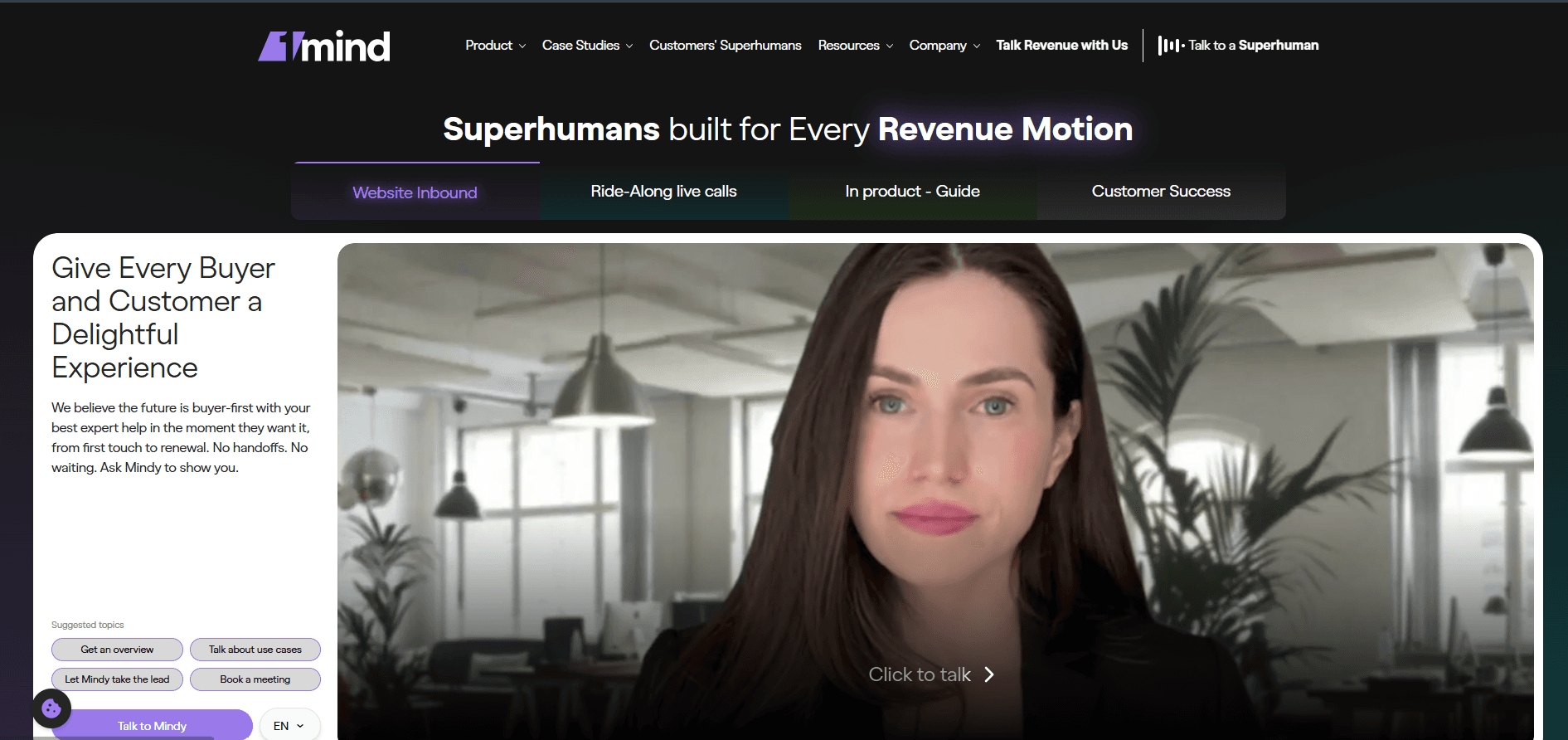
1mind is the broadest agent on this list and the most enterprise-shaped. It calls its agents Superhumans, each with a customizable persona, and runs the same underlying Brain across your website, your live sales calls, your product, and customer success.
Key Features
A persona that joins live calls: the Ride-Along agent sits in on real calls as an active participant, fielding technical questions and giving demos while your AE runs the relationship.
One Brain across the journey: website, in-product, and customer success agents share context, so onboarding starts knowing what the buyer asked before they signed.
Pricing
No pricing available. As of September 2026 1mind publishes no figures at all, and every plan is custom, scoped per revenue motion. Third-party blogs float six-figure annual contracts, none traceable to a primary source, so get a quote rather than budgeting off them.
Where 1mind Shines
Breadth across the funnel: one agent spanning sales, product, and CS, which is rare and genuinely useful at enterprise scale.
Live call coverage: technical backup on every AE, CSM, and partner call. Nothing else here does that.
Published head-to-head results: on its own site, 1mind reports a customer-approved 77.6% win rate against 53.6% on Drift, plus a 145% higher average deal size in the same comparison.
Where 1mind Falls Short
The buyer watches a persona: 1mind's bet is the face and voice on screen. Teams who want the prospect clicking through the product itself are buying a different shape of tool.
Wide implementation surface: four agent types across four motions means a bigger scoping exercise than a single website agent, and no published pricing to frame it.
Customer Reviews
The named quotes on 1mind's site are specific. Jacco van der Kooij said of their agent, "We thought Jack worked for us and helped our sales team sell. As it turns out, Jack works for our customers and helps them to buy." CMO Mandy Dhaliwal added that "our technical buying audience enjoys talking to her more than they do to some of our humans." Third-party coverage is thinner than that wall suggests. G2 puts 1mind at 4.9 out of 5 across 7 reviews as of September 2026, a strong score on a very small sample, where reviewers single out its conversation analysis. A persona divides buyers, so test it on your own audience.
Who 1mind Is Best For
Enterprise revenue orgs: teams wanting one agent across sales, product, and customer success.
Sales teams needing technical coverage on live calls: the ride-along use case is the differentiator.
3. Handhold: Best for HubSpot Teams Running a Pilot

Handhold builds AI agents that run tailored product demos on your website and land every interested visitor in HubSpot with the full conversation attached. It's the closest format match to Hobbes here and the only agent publishing an entry price.
Key Features
Qualification gathered in passing: the agent walks each prospect through what matters to them, answers questions, and collects who they are and what they run as part of the conversation rather than as a form.
HubSpot-native handoff: the moment a visitor shares an email, Handhold creates or updates the contact, maps demo answers to properties you choose, and logs the transcript as a meeting on the timeline.
Pricing
Plan | Price | Notes |
Starter | €299/month plus €3 per demo session | Full platform, integrations, analytics, unlimited Q&A sessions |
Core | Contact sales | Adds agents inside your product |
Verified September 2026 from Handhold's HubSpot marketplace listing, quoted in euros.
A 14-day free trial covers up to 30 demo sessions. The per-session rate drops with a monthly volume commitment of 100, 500, or 1,000 sessions.
Where Handhold Shines
Transparent entry pricing in a category that hides it: the only conversational agent here publishing a starting figure.
Costs track volume: usage-based pricing suits teams with modest traffic who want to test agent-led demos cheaply.
Real free trial: 14 days and 30 sessions, enough to see whether buyers engage.
Where Handhold Falls Short
Very small public footprint: its HubSpot marketplace listing showed fewer than 10 installs and no reviews as of August 2026, so there's little third-party evidence to check.
Per-session pricing cuts both ways: at high traffic the €3 per session adds up, and the volume commitments that reduce it require forecasting demand you may not have yet.
Customer Reviews
As of September 2026, Handhold has no public reviews available. Its HubSpot marketplace listing shows zero reviews, and Handhold does not appear in G2's Demo Automation category alongside Storylane, Navattic, and Consensus. Neither absence tells you how the product performs, only that too few teams have published an opinion so far. Use the 14-day trial to generate your own evidence, and ask for reference customers at your traffic volume before committing.
Who Handhold Is Best For
Small B2B SaaS teams on HubSpot: the integration is the strongest part of the product.
Teams testing agent-led demos on a budget: the published entry price and trial lower the risk of finding out.
4. Navattic: Best for Turning Website Traffic Into Leads

Navattic is built for demand-gen teams treating interactive demos as a lead channel. A Chrome extension captures your product, then turns it into a chapter-based tour you embed anywhere with no code. The focus is top of funnel. Embed the demo, capture the lead, route it to your CRM.
Key Features
Chapter-based no-code tours: capture once, split into chapters, let the buyer pick a path.
Step-level analytics with account identification: Navattic reports which companies moved through which steps, and forms inside the demo push contacts to HubSpot and Salesforce.
Pricing
Plan | Price | Notes |
Starter | Free | 1 seat, 1 demo, basic analytics |
Base | Billed annually, quote-based | 5 seats, unlimited HTML demos, Salesforce and Marketo |
Growth | Billed annually, quote-based | 10 seats, sandbox demos, demo translation, SSO |
Enterprise | Custom pricing | Offline demos, audit logs, professional services |
Verified September 2026.
Navattic no longer publishes dollar figures for paid tiers. Older roundups still quote $500 per month for Base. That figure is not on the current pricing page.
Where Navattic Shines
Website conversion focus: nothing here is more dialed in for embedding demos that generate leads.
Support reputation: the most-praised thing about Navattic in practitioner threads.
Free tier that genuinely works: one live demo, unlimited views, real analytics.
Where Navattic Falls Short
Opaque paid pricing: you cannot compare plans without a sales call.
Sandbox depth: one long-time customer noted demos are "one or a few paths so it can't create a full demo environment replica."
Cost at scale: a recurring theme is that Navattic gets expensive as seats grow.
Customer Reviews
Navattic holds 4.8 out of 5 across 975 G2 reviews as of September 2026, where reviewers single out its support quality. On r/ProductMarketing, a multi-year customer wrote that "the software keeps getting better and better," and a consultant said 80 to 90% of their clients use it. The dissent is cost. One reviewer who tested Arcade, Storylane, and Navattic side by side called Navattic "way too expensive" with "a higher learning curve."
Who Navattic Is Best For
Demand-gen teams: turning website traffic into pipeline.
Teams testing the category: the free plan is the cheapest way to prove a tour lifts conversion.
Want the head-to-head? See our breakdown of Storylane vs Navattic, or the wider product tour software category.
5. Storylane: Best for Shipping Your First Demo Fast

Storylane is the most popular entry point into this category, and it publishes its prices. It carries one of the deepest review bases here, and a non-technical marketer can build and embed a tour in an afternoon.
Key Features
Demo hubs by persona: bundle demos into one hub and route buyers by role, without a separate landing page each time.
Screenshot and HTML capture together: start on screenshots, move to HTML editing when fidelity matters. The HTML editor sits on Growth and above.
Step-level analytics: drop-off and engagement data are strong for the price.
Pricing
Plan | Price (billed annually) | Notes |
Free | $0 | 1 seat, 1 published demo, lead capture |
Starter | $40/mo | + $40 per extra seat |
Growth | $500/mo | + $100 per extra seat, HTML editor, A/B testing |
Enterprise | Custom | Security and scale |
Verified September 2026. Monthly billing runs $50 and $625 respectively.
Where Storylane Shines
Published pricing: rare here, and useful when you're building a business case.
Speed to first demo: teams report something working inside an afternoon.
Deep review base: 1,461 G2 reviews is a lot of evidence to check before you buy.
Where Storylane Falls Short
The jump to HTML is steep: $40 to $500 per month. One practitioner noted Storylane is "10X their base cost if you want HTML."
Polish at the cheap tiers: buyers comparing tools said the screenshot demos "looked less professional than others."
Customer Reviews
Storylane holds 4.8 out of 5 across 1,461 G2 reviews as of September 2026, where reviewers consistently praise ease of use and quick creation while flagging an inconsistent mobile experience. On r/ProductMarketing, an enterprise evaluator listed the pros as "quick & easy to build a demo," "cheap," and "strong customization options," with one caveat. They "got the sense we'd be on our own to implement."
Who Storylane Is Best For
Small marketing teams on a budget: the $40 annual tier is the best value here.
PLG teams: demos live on the site fast, without engineering.
Read more: Our best Storylane alternatives breakdown
6. Arcade: Best for Launch Assets in Every Format

Arcade records your screen once and turns that capture into a clickable demo, a narrated AI video, GIFs, and social cuts. It leads the category on speed and visual polish, and reviewers who tested it against Storylane and Navattic on r/ProductMarketing preferred it visually.
The trade-off shows up on complex products, since Arcade is recording-driven rather than clone-based, and both HTML capture and voice cloning sit on Enterprise. Paid plans start at $42.50 per seat a month billed annually, with a free tier covering one demo and one video (verified September 2026). It fits product marketing and PLG teams, and simple products where a two-minute walkthrough answers most questions.
7. Reprise: Best for Demos That Depend on Real Data

Reprise is the choice for products too complex to fake. It clones your full application into an interactive sandbox, then injects data with AI so reps stop hand-editing records before every call. Edge paths behave the way they do in production, and SOC 2 Type II, ISO 27001, SSO, and RBAC come in every package rather than as add-ons.
Cost and complexity are the recurring pushback on G2 and on r/ProductMarketing, where one buyer said it "works really well" for live sales demos while others called the UI complex and the cloning "more than what we needed." Pricing is an annual platform fee plus per-user licenses, quoted on request (verified September 2026). It fits enterprise presales and solutions engineering on products with real data dependencies.
8. Consensus: Best for Selling to Large Buying Committees

Consensus is video-first and built for committees. A rep sends one demo, every stakeholder who opens it gets a version weighted toward what they care about, and the platform reports who inside the account engaged with what. Nothing else here maps a whole buying group as well, and it holds 4.7 out of 5 across 1,853 verified G2 reviews as of September 2026, the largest review base of any platform on this list.
The limit is that a buyer watches rather than explores, and products that resist scripting hit that ceiling fastest. A sales engineer on r/salesengineers said Consensus "wouldn't work with the type of demos that we do. It is quite hard to automate my product." Pricing is form-gated, with Consensus' own page listing a $600 per month starting point on per-user licenses (verified September 2026). It fits enterprise teams selling to committees of six or more.
Interactive Product Demo Software vs Conversational Demos
A tour and a conversation solve different halves of the same problem, and buying the wrong half is the most expensive mistake in this category.
A guided tour is a path someone pre-built. It shows your three best screens in a fixed order, embeds anywhere, and can be live this afternoon. It ends at a click. Every question the tour didn't anticipate becomes a form submission or a closed tab.
A conversational demo is a path the buyer drives. They ask about multi-currency billing, SOC 2, or whether it works with their stack, and the answer comes back live. It ends at a booked call or a checkout. The tradeoff is setup, since a conversation has to be trained on your docs, decks, and recorded calls rather than a Chrome extension and an afternoon.
Navattic, Storylane, and Arcade build the tour. Hobbes, 1mind, and Handhold run the conversation. Several tour platforms have added conversational capability as a layer or add-on, worth testing on your hardest question rather than your happy path.
Choosing Among the Three Conversational Agents
Among the product demo tools mentioned in this roundup, Hobbes, 1mind, and Handhold are close competitors. This is because all three replace the demo request form. The difference is seen on what fills the screen and how much work the agent does after the conversation ends.
1mind leads with a persona and spans four motions, from website to live calls to customer success. Buy it when you want one agent across the whole funnel and an enterprise scoping exercise is acceptable.
Handhold runs website demos with usage-based pricing and a HubSpot-native handoff. Buy it when you want to test the format cheaply on modest traffic.
Hobbes puts an interactive sandbox of your product on screen and layers ICP scoring, enrichment, routing, and a self-improving loop on top. Buy it when the demo needs to qualify as well as educate, and when your buyer should be clicking through your software rather than watching something talk about it.
Demo Format Decision Tree
Answer four questions in order and you'll land on a shortlist of two.
1. Does a Buyer Understand Your Product in Under a Minute? Yes, buy a tour. Storylane on a budget, Navattic if support and analytics matter, Arcade if the assets need to look good everywhere. No, keep going.
2. Do Buyers Ask Questions Your Tour Can't Answer? Yes, buy a conversational agent. Hobbes when the buyer should be exploring your product and the demo should qualify. 1mind when you want one persona across sales, product, and CS. Handhold when you want the cheapest way to test the format. No, keep going.
3. Does Your Demo Depend on Real Data Behaving Correctly? Yes, buy a cloned sandbox. Reprise. No, keep going.
4. Are You Selling to a Committee of Six or More? Yes, buy async video with stakeholder tracking. Consensus. No, a tour is enough. Start with a free tier.
Pro Tip: Load your five toughest buyer questions into every trial, and rebuild your hardest flow rather than your happy path. A sales engineer on r/salesengineers put it well. "If a platform looks great in demo but is painful to maintain after one UI update, it will die internally."
How to Choose the Right Product Demo Software
To choose the right product demo software, consider these four things:
Format Fit Against Your Product's Complexity
Match the format to how long your product takes to explain. A screenshot tour on a product needing 30 minutes of context produces a buyer who clicked through eight screens and understood none of them. A cloned enterprise sandbox on a product a buyer grasps in a minute is money spent on fidelity nobody needed.
The uncomfortable middle is a complex product with a self-serve buyer, which describes most B2B SaaS above $5K ACV. That buyer needs to explore and needs answers. Hobbes handles both, with the buyer clicking through an interactive sandbox of your product while the agent answers whatever comes up.
Bring the question your tour keeps failing to answer. Start Demo and ask Hobbes that one.
Your Sales Motion
Marketing-led teams need something that lives on the website and works without a rep. Sales-led teams need something a rep personalizes and sends. Presales-led teams need something that survives a live call on a complex product.
Buy Navattic, Storylane, or Arcade for marketing-led. Buy Consensus for sales-led, or 1mind for technical coverage on the calls themselves. Buy Reprise for presales-led. Buy Hobbes when the motion starts before a rep is involved and needs to reach the CRM already qualified. Inbound solutions covers that path, and Hobbes Links extends it to outbound, and expansion.
Maintenance Effort as the Product Changes
This is the criterion buyers skip and then regret. Most product demo tools look good the week you build the demo. The question is what happens the sprint after your UI changes.
Screenshot tools need a re-record. HTML tools need a re-capture and an edit pass. Cloned environments need the clone refreshed, which is why Reprise sells services alongside software. Pull your last two quarters of release notes and count how many changes would have touched your demo. Hobbes captures update themselves, and the agent re-reads your docs as they change. Ask every vendor what happens after a UI change, and get the answer in writing.
Buyer Data Captured and Answer Traceability
Engagement data says a prospect spent 40 seconds on your reporting screen. Question-level data says they asked whether reporting exports to Snowflake. One routes to a rep with context. The other becomes a task in someone's queue.
Ask what the platform hands your CRM. Navattic and Storylane report accounts and step completion. Consensus reports stakeholder engagement across a buying group. Handhold logs the transcript and maps answers to HubSpot properties. Hobbes pushes the transcript, the ICP score, and the enriched contact into HubSpot, Salesforce, Attio, or Pipedrive before the rep opens the record, and its conversational intelligence layer surfaces objections and product heatmaps. Intent never cools off.
Every conversation Hobbes runs reaches your CRM with the transcript and the ICP score already attached. Train your agent on your own docs and see what comes back.
Learn more about how to increase demo conversion rates on your B2B website.
Final Word on Hobbes
Every tool on this list makes your demo easier to build. One makes it unnecessary to schedule.
Hobbes puts an interactive sandbox of your product in front of the buyer, answers what they ask, scores them against your ICP, and books the meeting. Sutton saw human bookings rise 53%. HyperSpell doubled revenue in six weeks.
Hobbes runs a live demo on itself. Talk to Hobbes and bring the questions your buyers actually ask.
FAQs
What Is the Difference Between Product Demo Software and Screen Recording Tools?
Product demo software creates an interactive experience a buyer clicks through or talks to. Screen recording tools create a video a buyer watches. The difference is control. In a recording, the viewer follows your path at your pace. In a conversation with Hobbes, the buyer chooses what to look at and can ask questions, which is what produces usable intent data. Recorders suit async sales follow-up. They don't replace a demo platform for website conversion.
How Much Does Product Demo Software Cost?
Published prices in September 2026 start at $40 per month for Storylane's annual Starter tier and $42.50 per seat for Arcade. Handhold lists €299 per month plus €3 per demo session, and Consensus a $600 starting point. Hobbes, 1mind, Reprise, and Navattic's paid tiers are quote-based. Two things inflate the real number. Per-seat pricing as more people build demos, and the jump from screenshot to HTML fidelity, which on Storylane means $40 to $500 per month.
What Is the Difference Between an AI Demo Agent and a Product Tour?
A product tour is a fixed path built in advance, so it answers only the questions you anticipated. An AI demo agent holds a live conversation, so the buyer asks and it responds. Among the three agents here, the split is what the buyer looks at while talking. 1mind puts a persona on screen. Handhold and Hobbes put the product on screen, and Hobbes builds an interactive sandbox your buyer clicks through themselves, then scores and routes them afterward.
Can Product Demo Software Replace Sales Engineers?
No, and platforms claiming otherwise are overselling. What these tools replace is the repetitive part of the job. The same first call, run 40 times a quarter, explaining the same five features to unqualified prospects. Hobbes replaces the demo request form and the first qualification call, then hands the rep a buyer who already understands the product and matches your ICP. The complex, high-stakes work stays with humans.
How Do I Measure Demo Software ROI?
Measure four things and ignore the rest. Demo starts as a share of qualified traffic, completion or conversation length, meetings booked from demo engagement, and pipeline from those meetings. Then measure hours spent building and maintaining demos. Attribution from a demo view through to closed revenue is unreliable end to end at most companies, so compare against your own pre-demo baseline rather than trusting a single number.
Should I Choose One Platform or Multiple Tools?
Most teams running a serious demo program end up with two product demo tools. One for marketing-led demos on the website, one for the sales or presales motion. That's fine as long as it's a decision rather than an accident. The pattern that wastes money is buying a second tool to cover a gap the first was supposed to fill, which usually means the format was wrong at the start. Run the decision tree above first, and check whether one change of format solves both problems.
Chirag Kulkarni
Co-Founder, Hobbes
Chirag Kulkarni is the co-founder and CEO of Hobbes, an AI company building autonomous, conversational product demos for B2B software companies. Before Hobbes, he worked at McKinsey, built AI tools for the Pentagon, and held strategy and operations roles at high-growth startups.



Get a Demo

8 Best Conversational AI for Inbound Leads (2026)
The best conversational AI for inbound leads: 1. Hobbes 2. 1mind 3. Qualified 4. Fin 5. Handhold. See features, pricing & more.
7 Best 1mind Alternatives Reviewed for B2B SaaS in 2026
Compare 1mind alternatives for B2B SaaS, including interactive demos, AI product experiences, pricing, key features, and best-fit use cases
8 Best Supademo Alternatives for B2B SaaS Teams in 2026
The top Supademo alternatives are Hobbes, Storylane, Navattic, Arcade, Walnut and Consensus, differing on format, AI depth, analytics and per creator pricing.
8 Best Demostack Alternatives for B2B SaaS Teams in 2026
The top Demostack alternatives are Hobbes, Reprise, Walnut, Storylane, Navattic and Consensus, differing on format, setup time, personalization and pricing.
21 min read
Demo Automation Guide: Steps, Tools and 2026 Benchmarks
Demo automation is the use of software to run product demos without a rep on every call, from recorded walkthroughs to AI led sandbox demos that qualify buyers.
13 min read
SaaS Product Demo 2026: Software, Examples & Best Practices
A SaaS product demo shows a buyer your product solving their problem. Compare five formats, build one in five steps, and use the 30-minute call script.
17 min read
Interactive Demo Benefits, Types, Tools & 3 Examples
An interactive demo lets buyers explore a product instead of simply watching a presentation. Learn how it works, its types, benefits, tools, and examples.
12 min read
What is an AI Demo Agent: How It Works and What to Look For
An AI demo agent runs a live, conversational product demo on your site and qualifies the buyer. See the three types, how they work, and what to look for.
17 min read
9 Best Product Tour Software Tools for SaaS Teams (2026)
Product tour software helps SaaS teams create interactive product experiences for onboarding or sales. Compare top tools and see where Hobbes fits
18 min read
Best Storylane Alternatives in 2026: 7 Tools Compared
The top Storylane alternatives include Hobbes, Navattic, Walnut, and Supademo, each fitting different demo formats, team budgets, and sales motions.
Experience a Demo
Ready to see Hobbes in Action?
Designed for teams who need control, consistency, and measurable impact across every demo touchpoint.